Back to Blog
CalGet vs AddEvent: Features and Pricing Compared (2026)
An honest, sourced comparison of CalGet and AddEvent in 2026: prices, plan limits, per-event vs per-month usage, RSVPs, embeddable calendars, analytics, and how to switch.
Written by
Last updated: October 2026. Prices and plan limits are taken from CalGet's and AddEvent's public pricing pages on October 11, 2026, and the CalGet features shown were tested in the app the same month. Plans change, so check both pricing pages before you buy.
The short answer
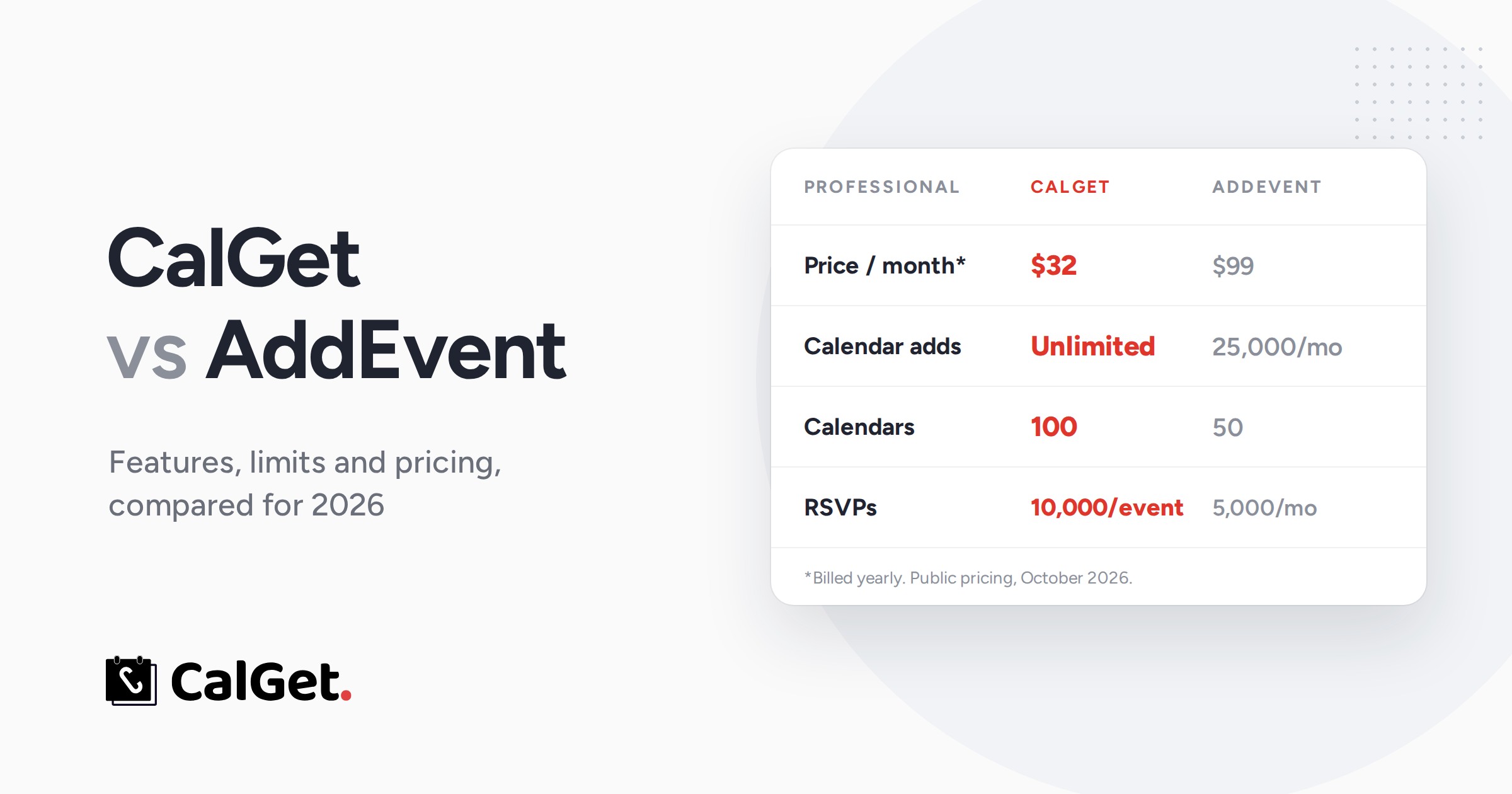
CalGet and AddEvent both do the core jobs: Add to Calendar links, RSVPs, subscription calendars and an embeddable calendar. The difference is what you pay and how the limits work. CalGet's Professional plan is $32 a month (billed yearly) with unlimited calendar adds and 100 calendars; AddEvent's Professional plan is $99 a month with 25,000 calendar adds a month and 50 calendars. And CalGet counts calendar adds and RSVPs per event, while AddEvent counts them per month across your whole account.
We first wrote this comparison in 2024, back when CalGet was called CalGet and mostly made Add to Calendar links. A lot has changed since. CalGet now has RSVP pages with custom forms, subscription calendars, an embeddable calendar for your website, recurring events, calendar sync and detailed analytics. So this is a full rewrite, plan by plan and feature by feature, with every number taken from the two companies' own pricing pages.
If you're comparing the two because AddEvent's limits or price no longer fit, this is for you. We'll show you where the plans differ, what that means for a real event schedule, and what you get with CalGet.
CalGet vs AddEvent at a glance
| CalGet | AddEvent | |
|---|---|---|
| Paid plans start at | $16/month billed yearly ($21 monthly) | $29/month billed yearly ($36 monthly) |
| Professional plan | $32/month billed yearly ($39 monthly) | $99/month billed yearly ($129 monthly) |
| How limits are counted | Per event (calendar adds, RSVPs) and per calendar (subscribers) | Per monthly usage period, across your account |
| Unlimited calendar adds | Yes, on Professional ($32) | Not on a listed plan (Professional: 25,000 a month) |
| Most calendars on a listed plan | 100 | 50 |
| Free plan | Yes, not limited to personal use | Yes, "for personal, non-commercial use" |
| Nonprofit discount | Published: 20% off Standard, 40% off Professional (yearly) | Custom, on request |
Sources: CalGet pricing and AddEvent pricing, both checked October 11, 2026.
CalGet vs AddEvent pricing, plan by plan
The two companies don't name or slice their plans the same way, so here they are side by side at the closest price points. Prices are per month, billed yearly, with the month-to-month price in brackets.
CalGet Standard vs AddEvent Small Business
| CalGet Standard | AddEvent Small Business | |
|---|---|---|
| Price | $21 ($28) | $29 ($36) |
| Calendar adds | 10,000 per event | 2,500 a month |
| RSVPs | 5,000 per event | 1,000 a month |
| Calendars | 50 | 10 |
| Calendar subscribers | 1,500 per calendar | 1,000 |
| Team members | 2 | 1 |
CalGet Professional vs AddEvent Professional
| CalGet Professional | AddEvent Professional | |
|---|---|---|
| Price | $32 ($39) | $99 ($129) |
| Calendar adds | Unlimited | 25,000 a month |
| RSVPs | 10,000 per event | 5,000 a month |
| Calendars | 100 | 50 |
| Calendar subscribers | 15,000 per calendar | 5,000 |
| Team members | 5 | 5 |
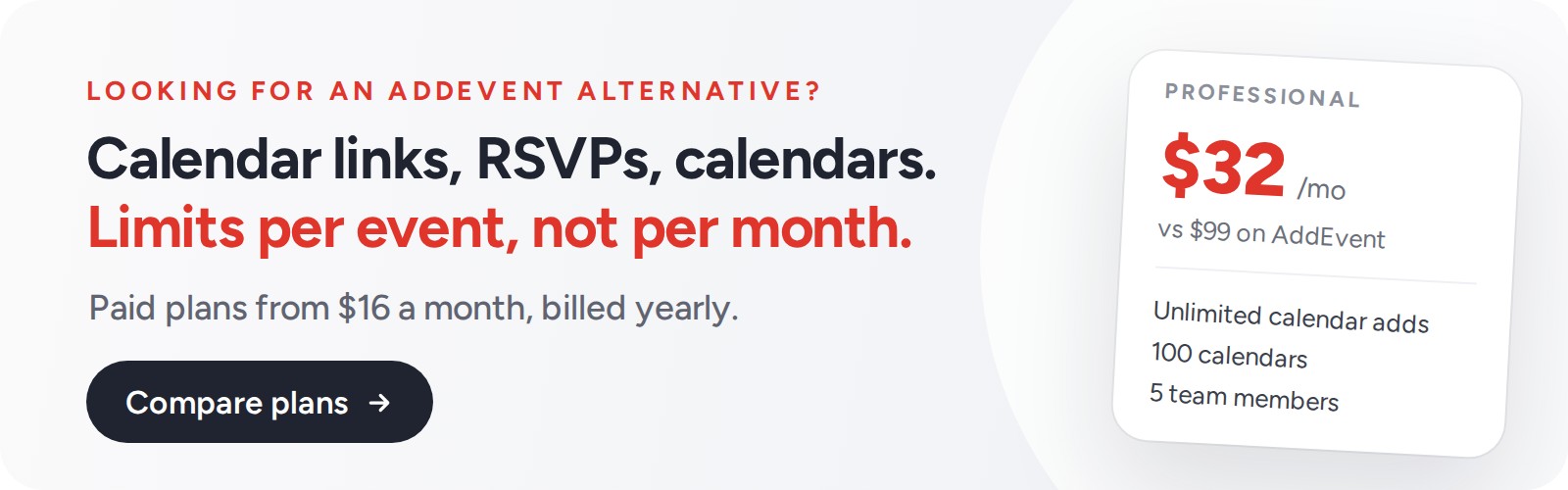
At the Professional level, CalGet costs about a third of what AddEvent does, with no cap on calendar adds and twice the calendars. Billed month to month, it's $39 against $129.
The free plans
Both have one. AddEvent's free Hobby plan is, in AddEvent's words, "for personal, non-commercial use", with 1 calendar, 20 RSVPs and 20 calendar subscribers. CalGet's free plan isn't limited to personal use, so a club, a school group or a small business can start on it, and it includes 2 calendars, 25 RSVPs per event, 25 subscribers per calendar and up to 5 new events a day.
Per event vs per month: the difference that changes the math
This is the part most comparisons miss. AddEvent counts Add to Calendar clicks and RSVPs per "usage period", a monthly period that resets on your account's renewal day, and the count is shared by every event in your account. CalGet counts calendar adds and RSVPs per event.
Here's what that means in practice. Picture a team that runs a webinar every week, and each webinar gets around 800 calendar adds. That's about 3,200 calendar adds a month:
- On AddEvent Small Business ($29): 2,500 calendar adds a month, shared by all four webinars. You'd run out in the fourth week.
- On CalGet Starter ($16): 1,000 calendar adds per webinar. Every webinar fits, at about half the price.
The more events you run, the bigger the gap gets, because every new CalGet event starts with its own full allowance.
What you get with CalGet
Price only matters if the tool does the job. Here's what CalGet covers, with real screens from our own tests.
Add to Calendar links and buttons
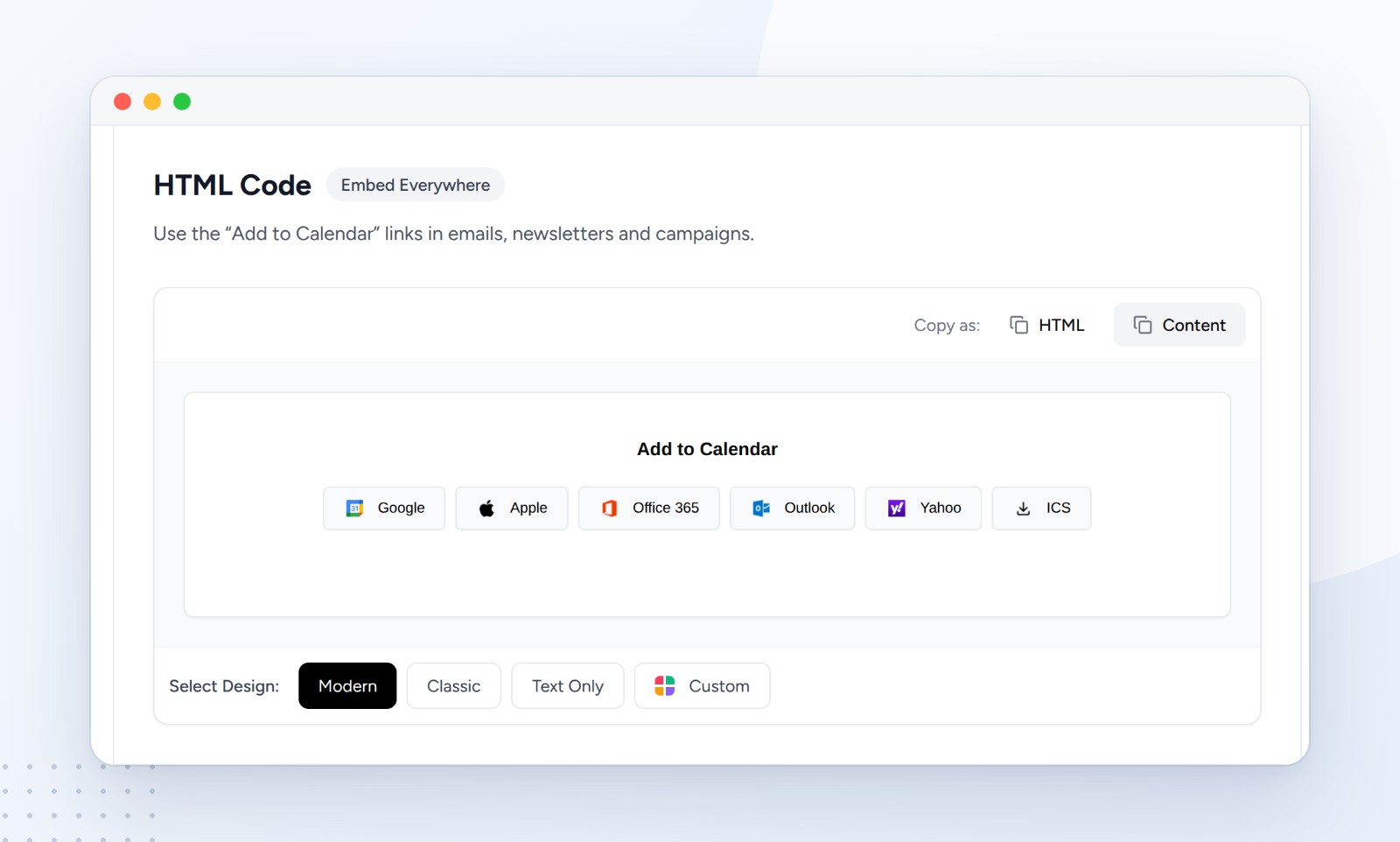
Create an event once and share one link that works with Google Calendar, Apple Calendar, Outlook, Office 365 and Yahoo, or as a calendar file. Each event also gets its own page and HTML code for emails and websites. Choose Copy as: HTML for code editors or Copy as: Content to paste ready-made buttons straight into an email, like in our guide to adding an Add to Calendar link to an Outlook email.
RSVPs that count themselves
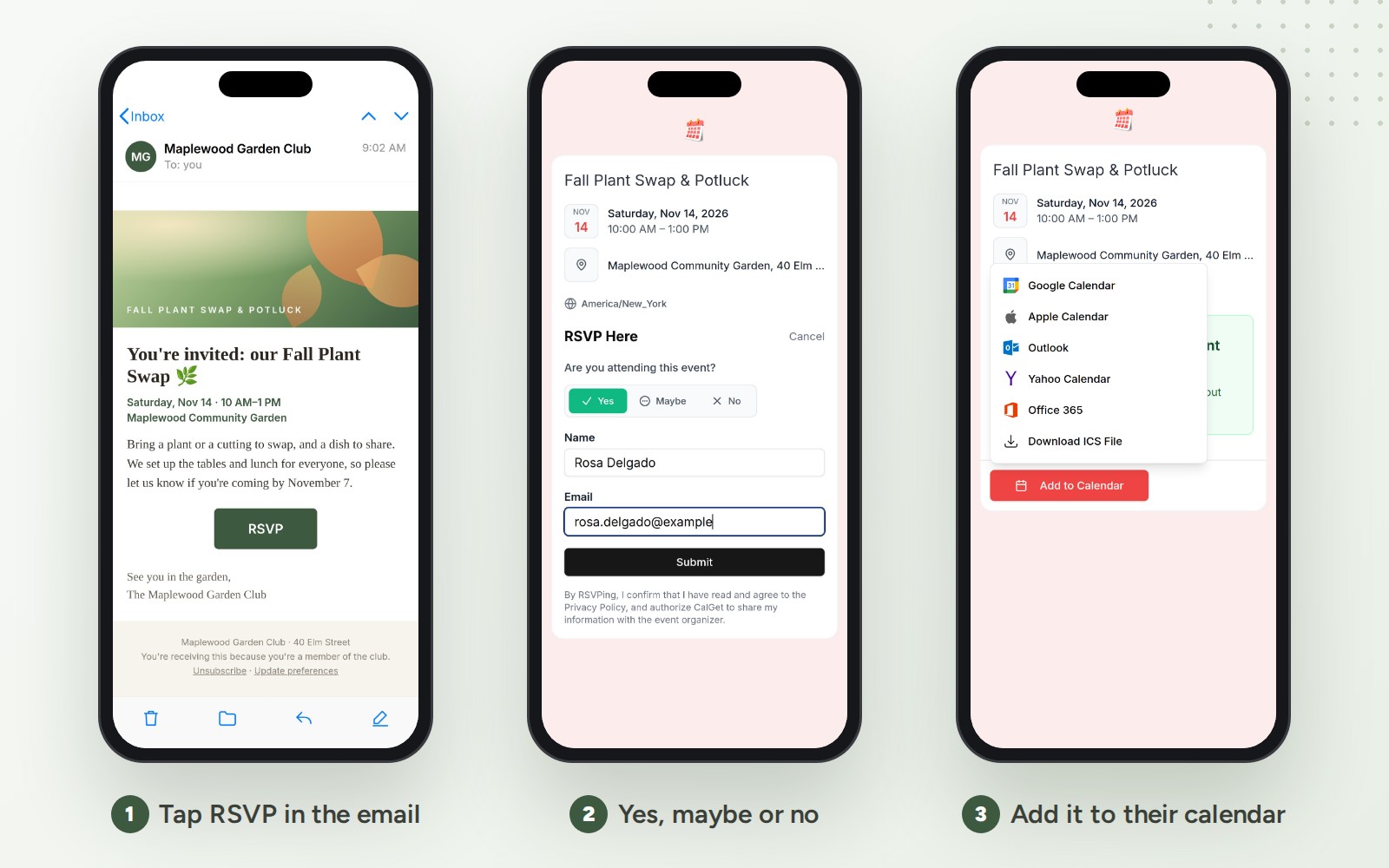
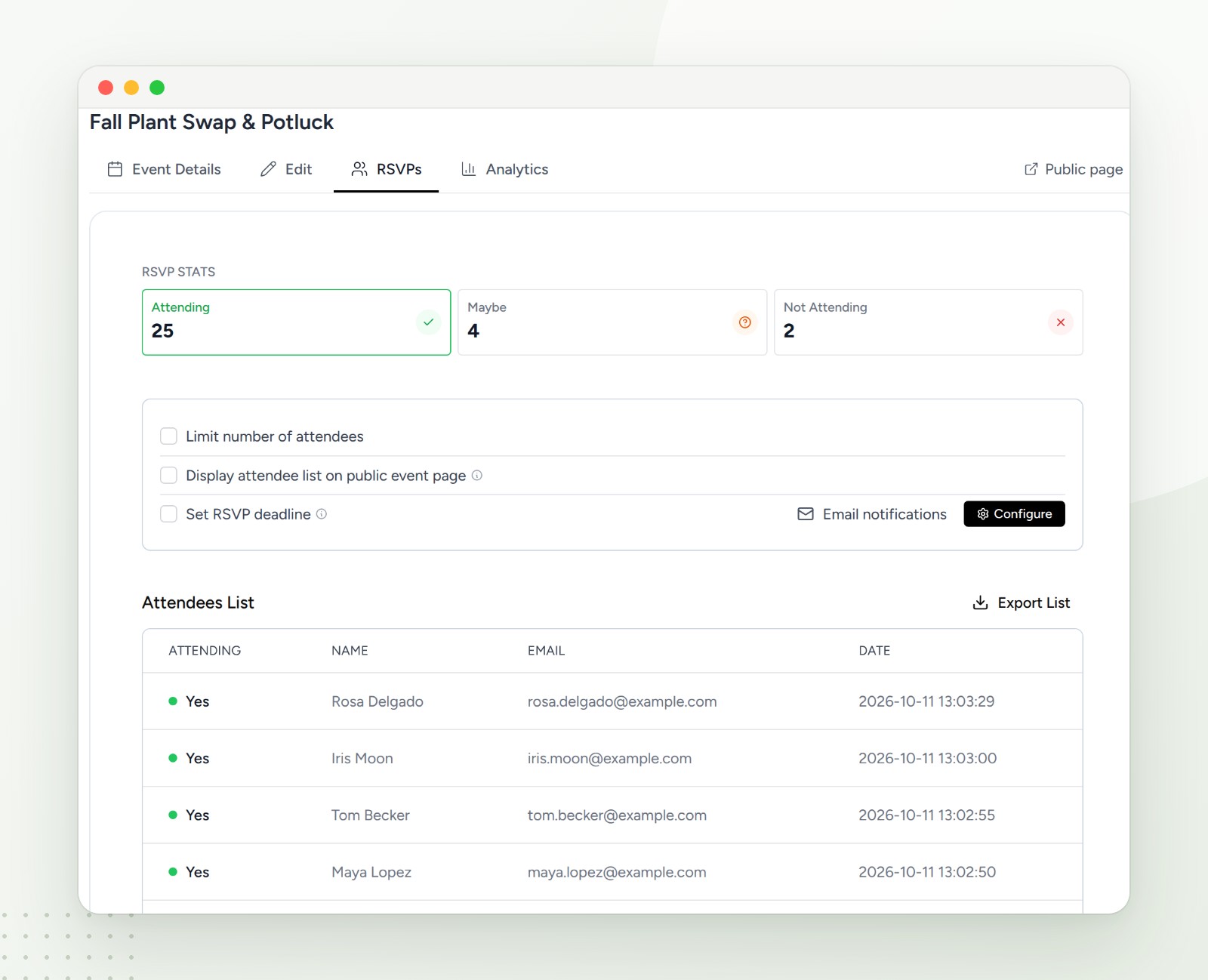
Turn on Collect RSVPs and the event page gets an RSVP form. Guests answer Yes, Maybe or No, add their name and email, and can add the event to their calendar right after. You see the counts and the full list, and you can set an RSVP deadline, limit the number of attendees, show the attendee list on the event page, get email notifications and export everyone as a CSV file. Paid plans add custom RSVP forms, so you can ask your own questions. Here's the full walkthrough for adding an RSVP button to Mailchimp emails.
An embeddable calendar for your website
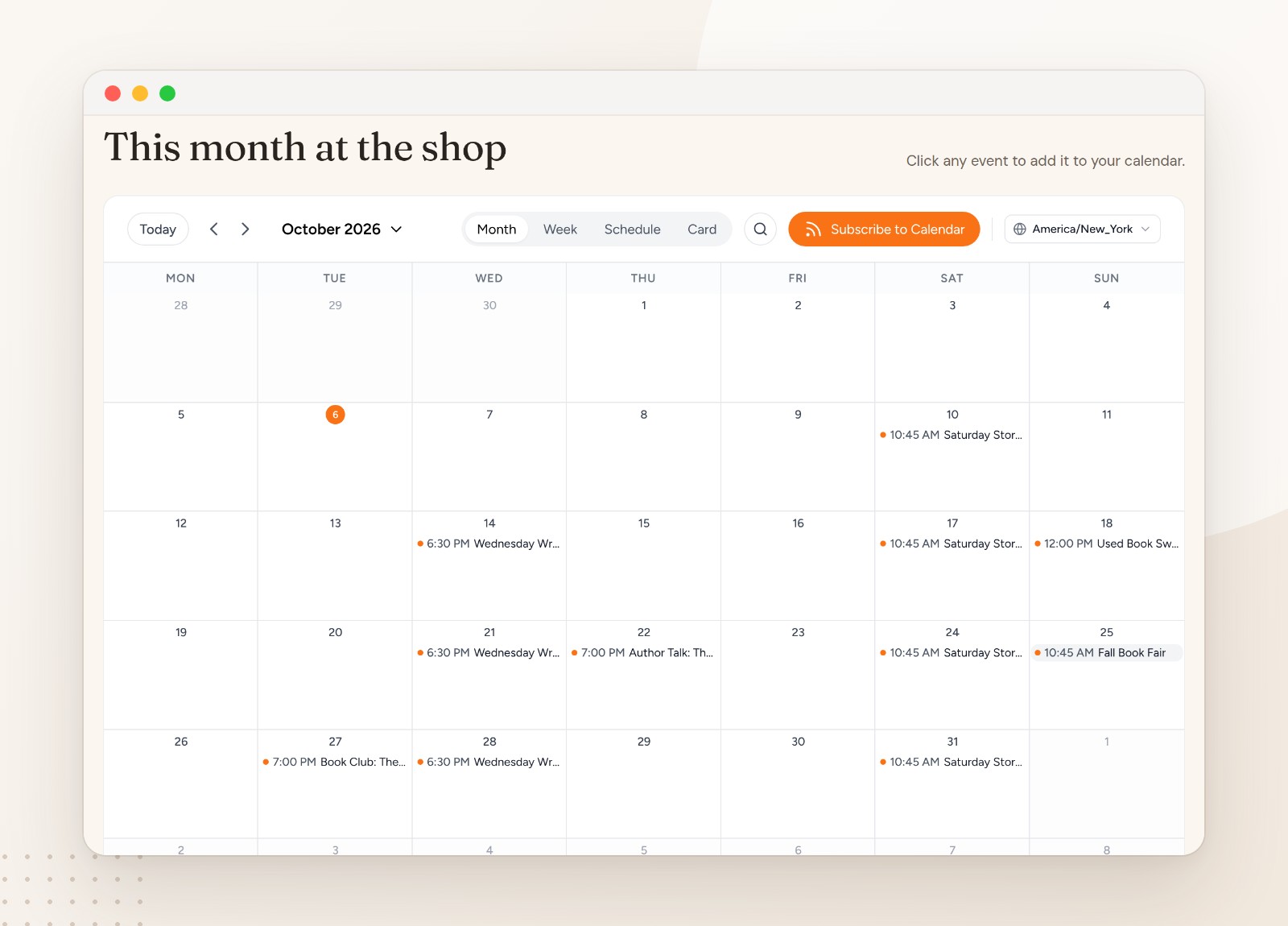
Put all your events on your website with one embed code. Visitors can switch between Month, Week, Schedule and Card views, search, open any event and add it to their calendar, or subscribe to the whole calendar. You choose the colors, light or dark mode, an optional side panel, the first day of the week, the time zone and one of 20 languages, and you can let visitors submit events for you to approve. It works on WordPress, Wix, Squarespace and any site that accepts embed code. See it on a real page in our Squarespace events calendar guide.
Subscription calendars, recurring events and calendar sync
Group events into a calendar people can subscribe to, so new events and changes show up in their own calendar automatically. On paid plans, events can repeat daily, weekly, monthly or yearly. And if your events already live in Google Calendar or Outlook, CalGet's External Calendars sync (on Standard and Professional) can pull them in, so you keep working where you are.
Analytics that show what's working
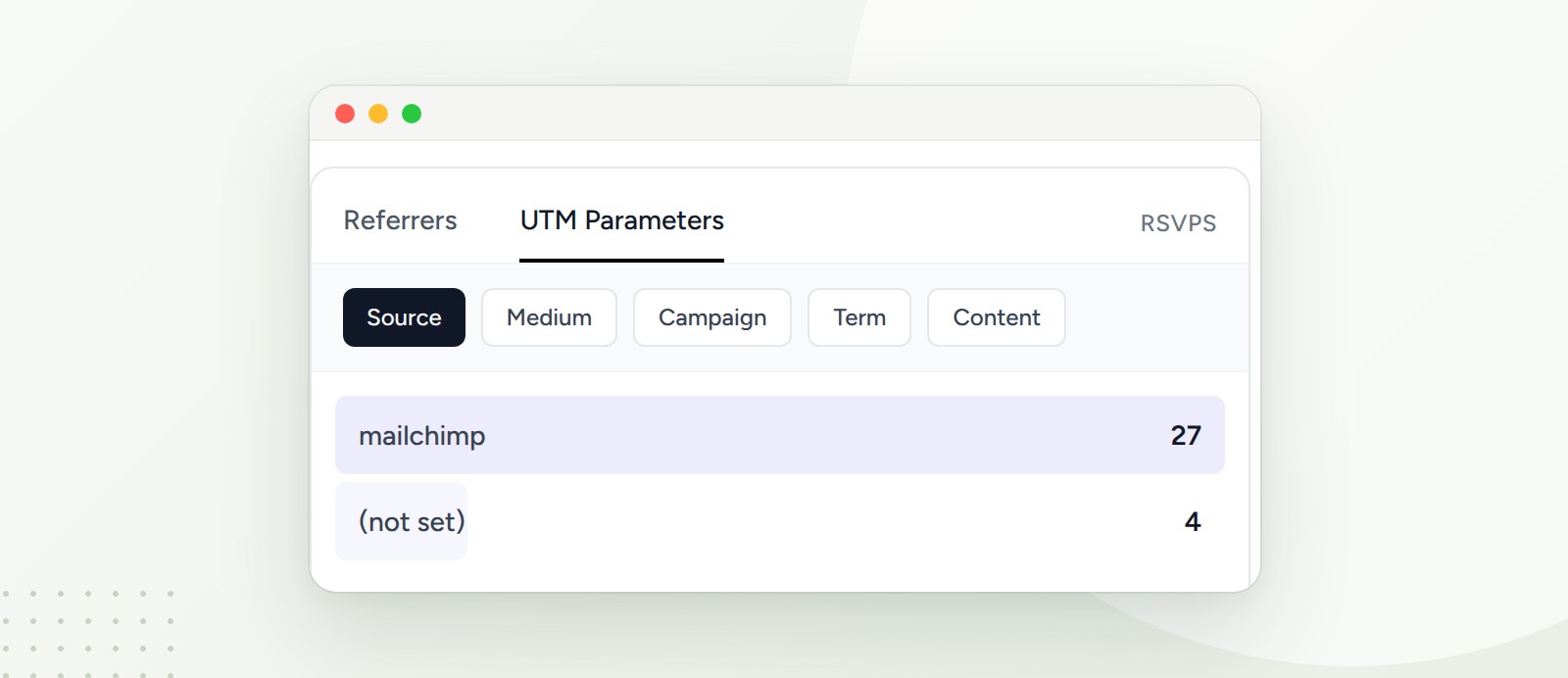
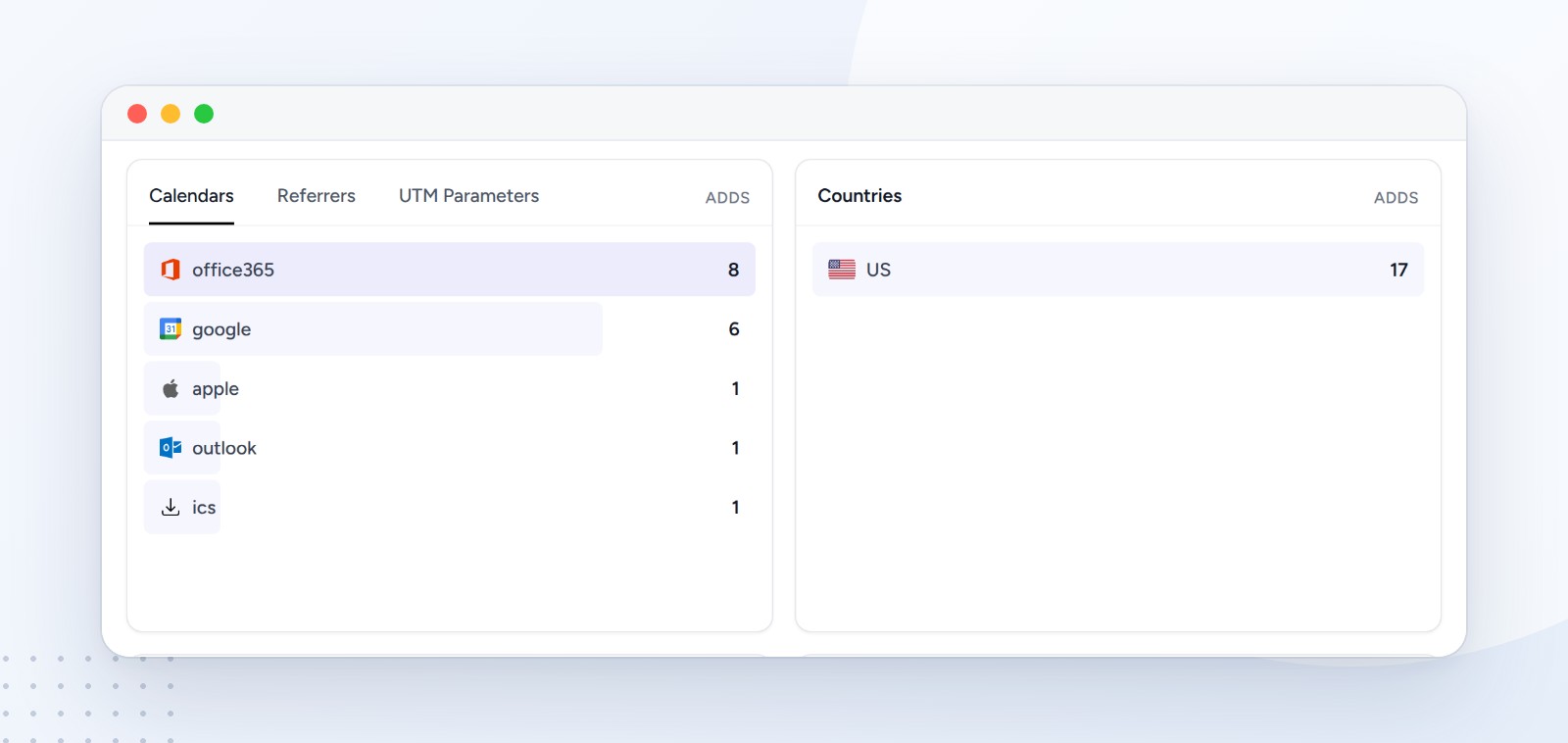
AddEvent's analytics page lists three things it tracks: event-adds, calendar subscribers and RSVP responses. CalGet's event analytics show clicks, calendar adds and RSVPs, which calendars people chose, and where they came from: referrers, UTM tags, countries, devices, operating systems and browsers. Tag a link with ?utm_source=newsletter and you'll see exactly how many RSVPs that newsletter brought in.
Everything else
- Zapier: connect CalGet to more than 7,000 apps, from Google Sheets to Slack and HubSpot, on every paid plan.
- Your brand: custom logo and colors, themes, custom social media cards, and no "Powered by CalGet" on paid plans.
- Teams: up to 5 team members on Professional.
- Custom short links for your events.
- Live chat support on paid plans.
Who should choose CalGet over AddEvent
Clubs, nonprofits and community groups who want RSVPs, a website calendar and calendar links without paying for an enterprise plan. CalGet's nonprofit discounts are published: 20% off Standard and 40% off Professional on yearly billing.
Marketing teams running many events. Webinar series, launches and roadshows add up fast under a monthly cap. Per-event limits and unlimited calendar adds on Professional mean you don't ration your best events.
Small businesses and studios with recurring classes or sessions. Recurring events, an embeddable calendar and subscribe buttons start at $16 a month, billed yearly.
Anyone who wants to measure. If you need to know which email, post or partner drove your RSVPs, CalGet's UTM and referrer breakdowns are built into every event's analytics on paid plans.
How to switch from AddEvent to CalGet
- Create your free CalGet account and pick a plan that fits your event volume.
- Recreate your upcoming events, or, on Standard and Professional, sync them from Google Calendar or Outlook with External Calendars.
- Turn on Collect RSVPs for the events where you take registrations.
- Swap your links and embeds: replace the Add to Calendar and RSVP links in your email templates, and paste CalGet's embed code where your old calendar widget was.
- Tag your links with UTM parameters so your first CalGet campaign tells you what worked.
How we compared
We read both companies' public pricing pages on October 11, 2026, and used only the prices, limits and wording published there; AddEvent's feature descriptions come from AddEvent's own website. Every CalGet feature above was tested in CalGet in October 2026, and the screenshots are from those tests. We didn't test AddEvent's product for this article. Prices change, so check CalGet's pricing and AddEvent's pricing before you decide.
Key takeaways
- CalGet Professional is $32 a month (yearly) vs $99 for AddEvent Professional.
- CalGet Professional has unlimited calendar adds and 100 calendars; AddEvent Professional has 25,000 adds a month and 50 calendars.
- CalGet counts calendar adds and RSVPs per event; AddEvent counts them per month across your account.
- CalGet Standard ($21) beats AddEvent Small Business ($29) on every listed limit, with 2 team members instead of 1.
- CalGet's free plan isn't limited to personal use; AddEvent's Hobby plan is.
Frequently asked questions
Is CalGet cheaper than AddEvent?
Yes. As of October 2026, CalGet's paid plans start at $16 a month billed yearly, against $29 for AddEvent's Small Business plan. At the top listed plans, CalGet Professional is $32 a month and AddEvent Professional is $99, both billed yearly.
What is the best AddEvent alternative?
For most organizers, CalGet: it covers Add to Calendar links, RSVPs, subscription calendars and an embeddable calendar, counts limits per event instead of per month, and costs about a third of AddEvent at the Professional level.
Does CalGet have a free plan?
Yes. CalGet's free plan includes 2 calendars, 25 RSVPs per event, 50 calendar adds per event, 25 subscribers per calendar and up to 5 new events a day, and it isn't limited to personal use.
Can CalGet collect RSVPs like AddEvent?
Yes. Every CalGet event can collect RSVPs (Yes, Maybe or No) on its own page, with an RSVP deadline, an attendee limit, email notifications and a CSV export. Paid plans add custom RSVP forms.
Does CalGet have an embeddable calendar?
Yes, on all paid plans. It has Month, Week, Schedule and Card views, 20 languages, your colors, subscribe and Add to Calendar buttons, and optional guest event submissions.
Does CalGet work with Zapier?
Yes. CalGet connects to more than 7,000 apps through Zapier on every paid plan.
Try CalGet for your next event
Start on the free plan, create an event, and send your first Add to Calendar link or RSVP page in a few minutes. When you need more, the paid plans start at $16 a month, billed yearly.
Compare CalGet's plans or see why teams switch from AddEvent.
Written by the CalGet team. We build the calendar links, RSVP pages and calendars that organizers use to get their events into people's calendars, and we checked every number in this comparison against both companies' published pricing.
Get Your Events on Everyone's Calendar.
Generate universal "Add to Calendar" links that work everywhere. Perfect for social media, emails, and websites.




Written by
Yared