What is CalGet?
Updated October 20, 2026
CalGet helps people put your events in their calendar. You make an event once, and CalGet gives you a link and Add to Calendar buttons. They work with Google, Apple, Outlook, Office 365 and Yahoo, plus an ICS file for any other calendar app. You can also collect RSVPs, group events into calendars people subscribe to, and show a calendar on your website.
What you can do with CalGet
| You want to | Use | Start here |
|---|---|---|
| Share one event so people can save it | An event link and Add to Calendar buttons | Create your first event and share it |
| Put Add to Calendar buttons in an email | The event's HTML Code | Add your event to an email or newsletter |
| Ask guests if they're coming | Collect RSVPs and RSVP forms | Collect RSVPs for your event |
| Keep people up to date with all your events | A calendar they subscribe to | Start a new calendar and share its Public Link |
| Show your events on your website | The embeddable calendar | Embeddable Calendar setup: domains, look and code |
| See what works | Analytics: clicks, calendar adds and RSVPs | Read your event analytics |
What your guests see
Every event gets its own page. Guests click Add to Calendar, choose their calendar, and the event is saved with the right date, time and place. They don't need a CalGet account.
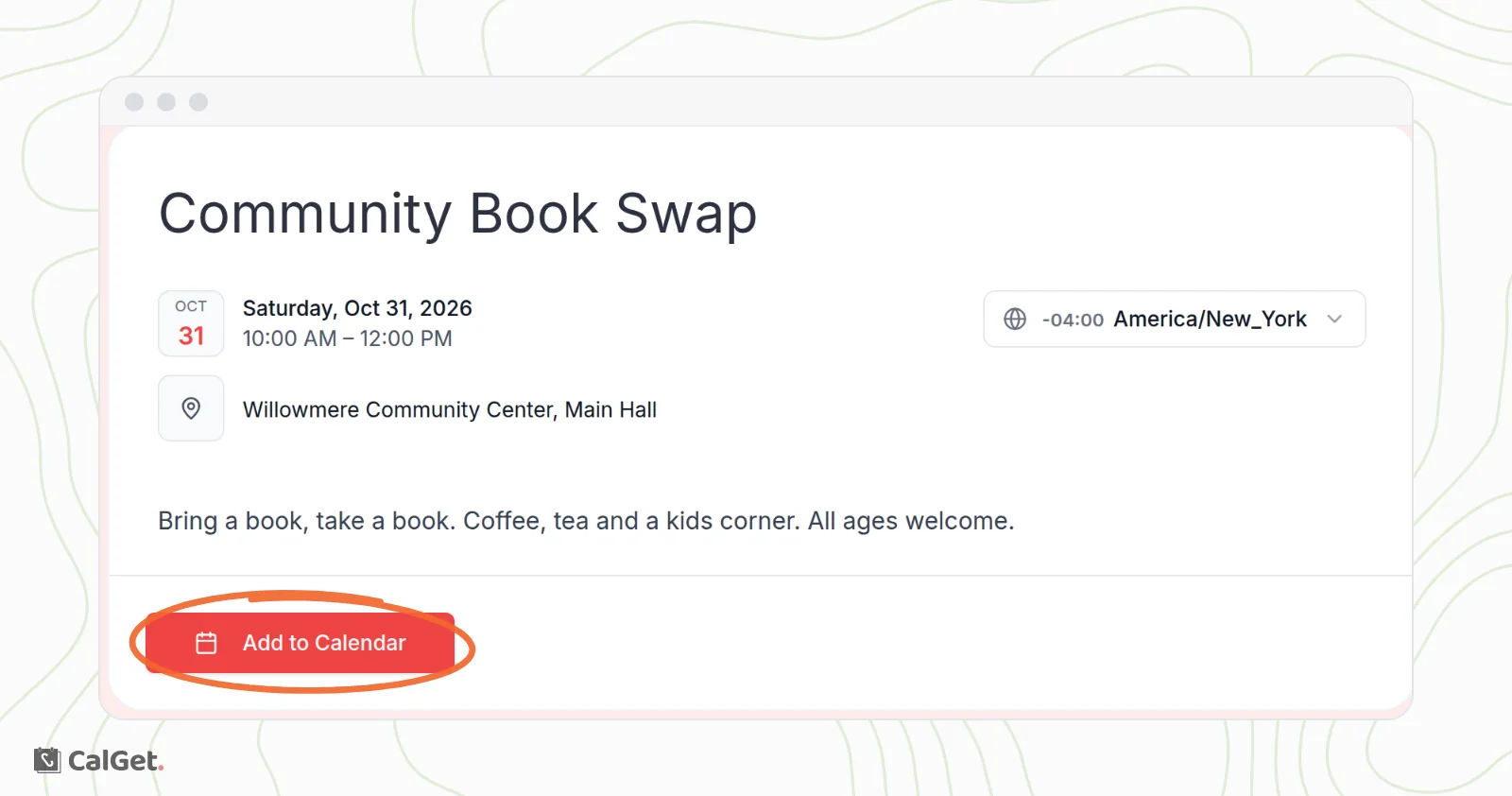
When you change an event in CalGet, the event page and its links show the new details.
Your dashboard
Everything is in the menu on the left: Events, Calendars, Themes and RSVP Forms, then Analytics, Embeddable Calendar and Integrations.
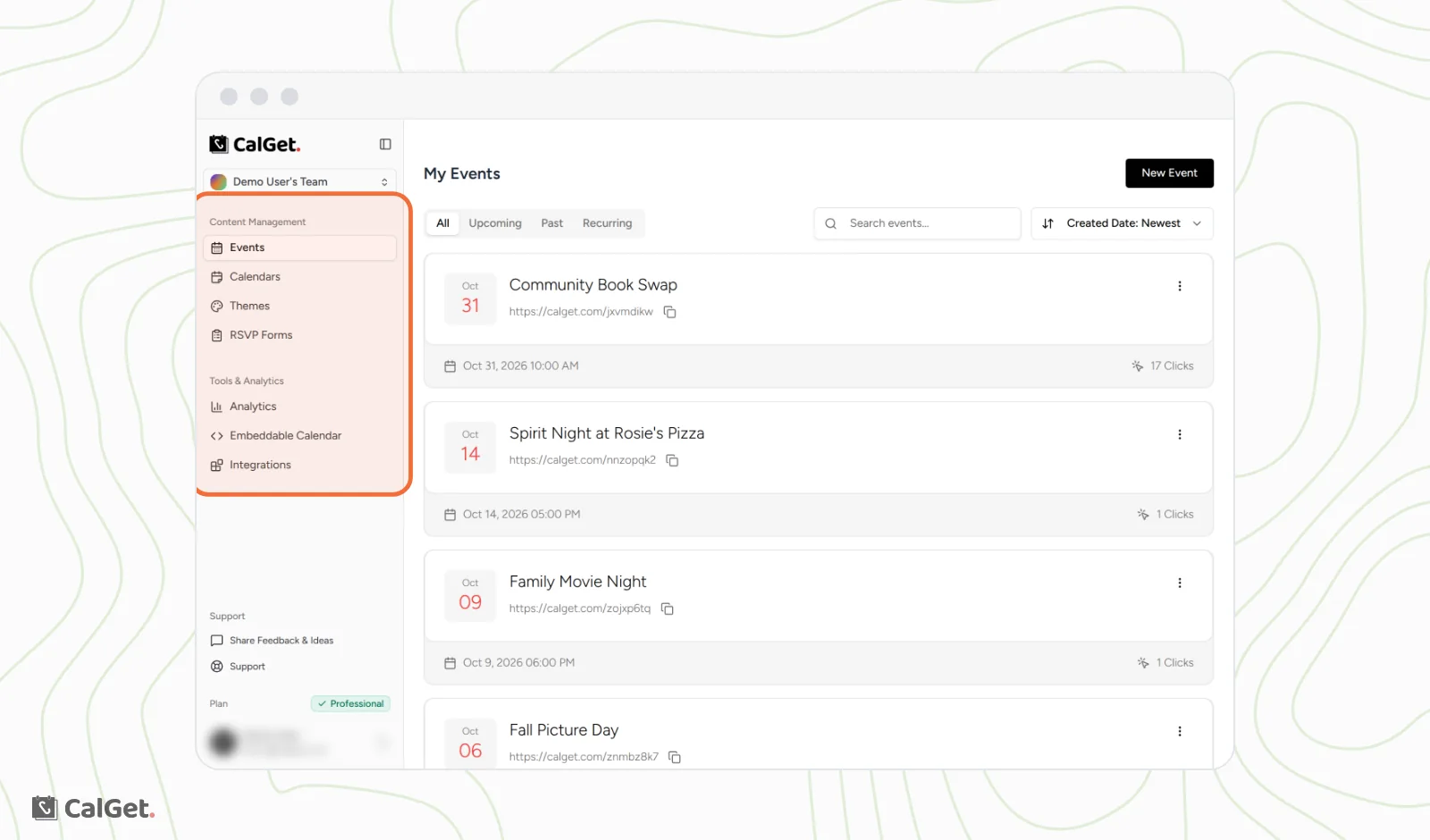
For a tour of each page, see Find your way around the CalGet dashboard.
Work with your team and other apps
- Invite people to your team so you can manage events together. See Invite team members and switch teams.
- Connect CalGet to thousands of apps through Zapier. See Connect CalGet to other apps with Zapier.
- Add Add to Calendar buttons to WordPress pages with the CalGet plugin. See Install the CalGet WordPress plugin and add the block.
Plans
CalGet has a Free plan and three paid plans: Starter, Standard and Professional. Each team has its own plan. See Compare plans and see what each limit counts.