Add a Background Image to Your Event Pages
Give your event pages a background photo. Search Unsplash inside CalGet, adjust the blur, and save it in a theme you can reuse.
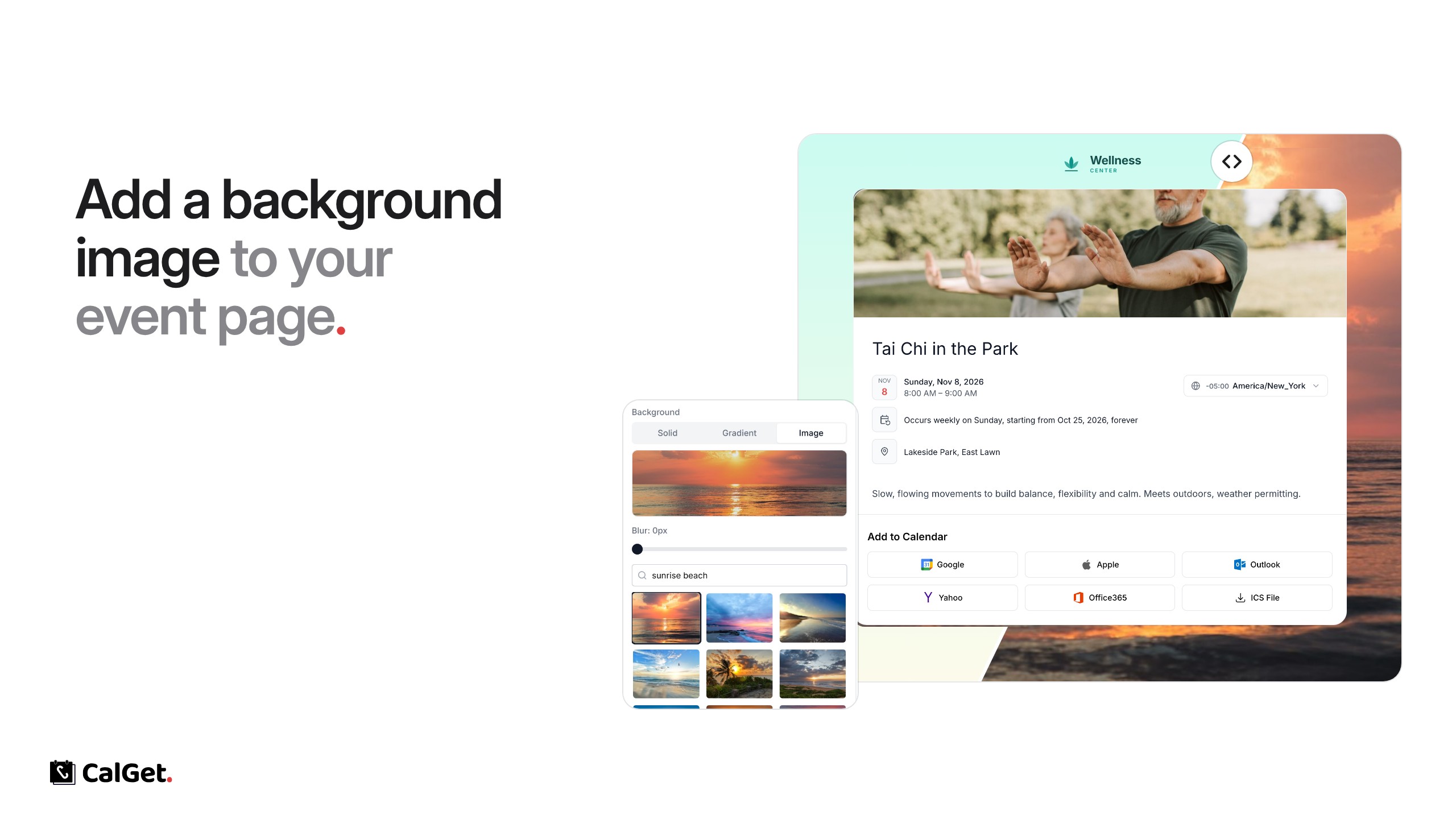
Event pages can now have a background image. Pick a photo, and your event card sits on top of it.
Search a photo library – Search Unsplash photos right inside CalGet and click one to use it.
Blur – Soften the photo with the blur slider so your event details stay easy to read.
Solid, gradient or image – The background can also be a solid color or a gradient.
Reusable – The background is part of a theme, so you can use it on as many events as you like.
To set it up, go to Themes, create or edit a theme, and under Page Settings → Background choose Image. Then pick that theme on your event under Edit → Theme.