Calendar By CalGet: Embed Your Event Calendar in Canva
Add your live CalGet event calendar to any Canva design with the Calendar By CalGet app. It stays up to date on your published site.
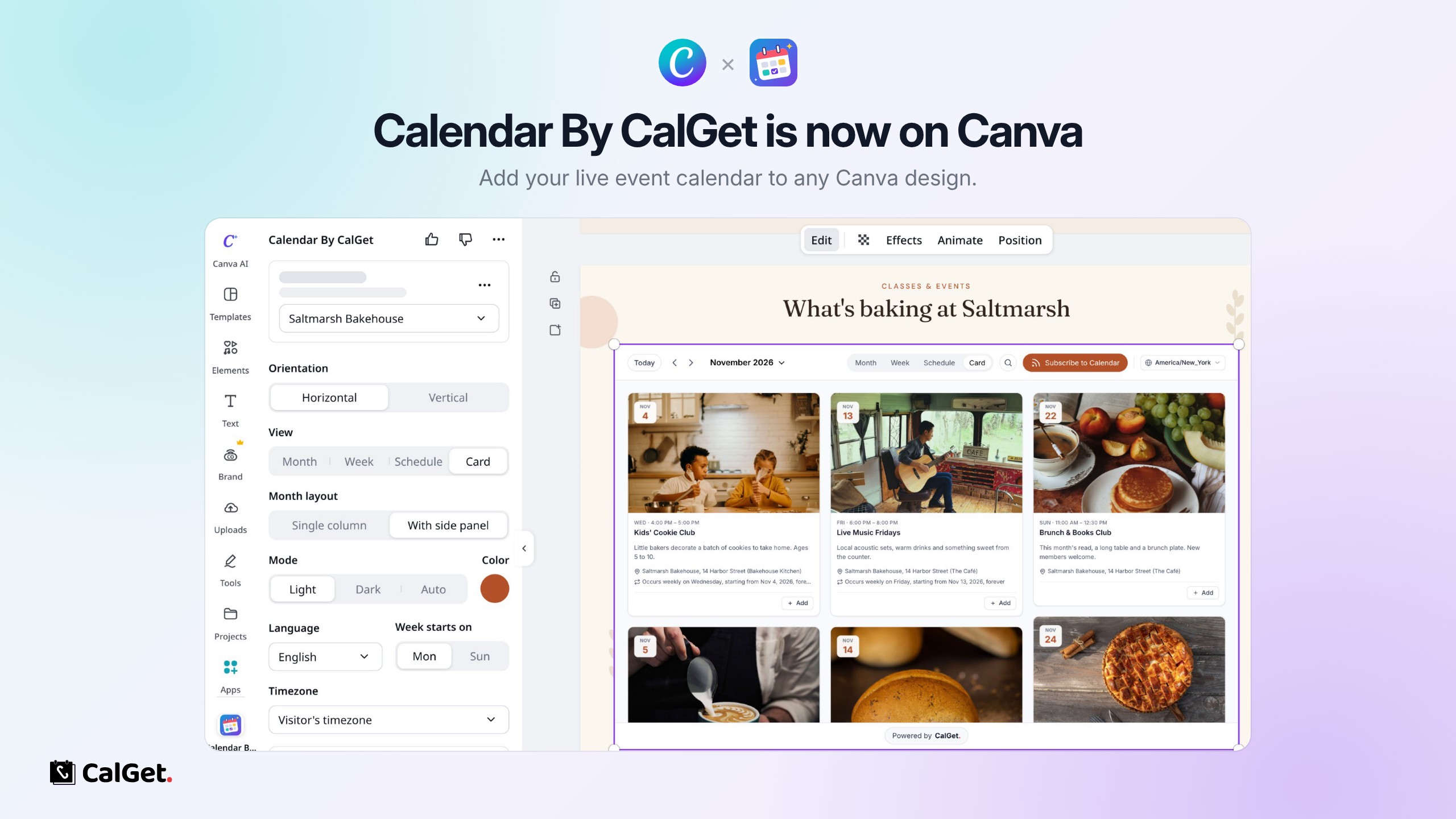
CalGet is now on the Canva Apps marketplace! With the Calendar By CalGet app, you can add your live CalGet event calendar to any Canva design, including Canva websites, without leaving the editor.
Here's what you can do:
Add It in a Few Clicks – Open Apps in your design, search for Calendar By CalGet, connect your CalGet account, pick a calendar and click Add calendar to design.
Style It Right in Canva – Choose Month, Week, Schedule or Card view, a horizontal or vertical layout, light, dark or auto mode, and your brand color. You can also set the language, the first day of the week and the time zone, and hide the elements you don't need.
Always Up to Date – Your calendar stays live on your published site. Add or edit an event in CalGet and it shows up by itself, with no redesigning or republishing.
Easy for Your Visitors – Anyone can open an event, add it to Google, Apple, Outlook or Yahoo, or subscribe to your calendar.
Perfect for studios, schools, nonprofits, venues and small businesses that run their website on Canva.
Get the app: Calendar By CalGet on Canva
Step-by-step guide: How to Add an Events Calendar to Your Canva Website