Google Calendar Subscription Workaround
When Google Calendar couldn’t add subscriptions by link, we added a three-step guide so subscribers can add your calendar by URL.
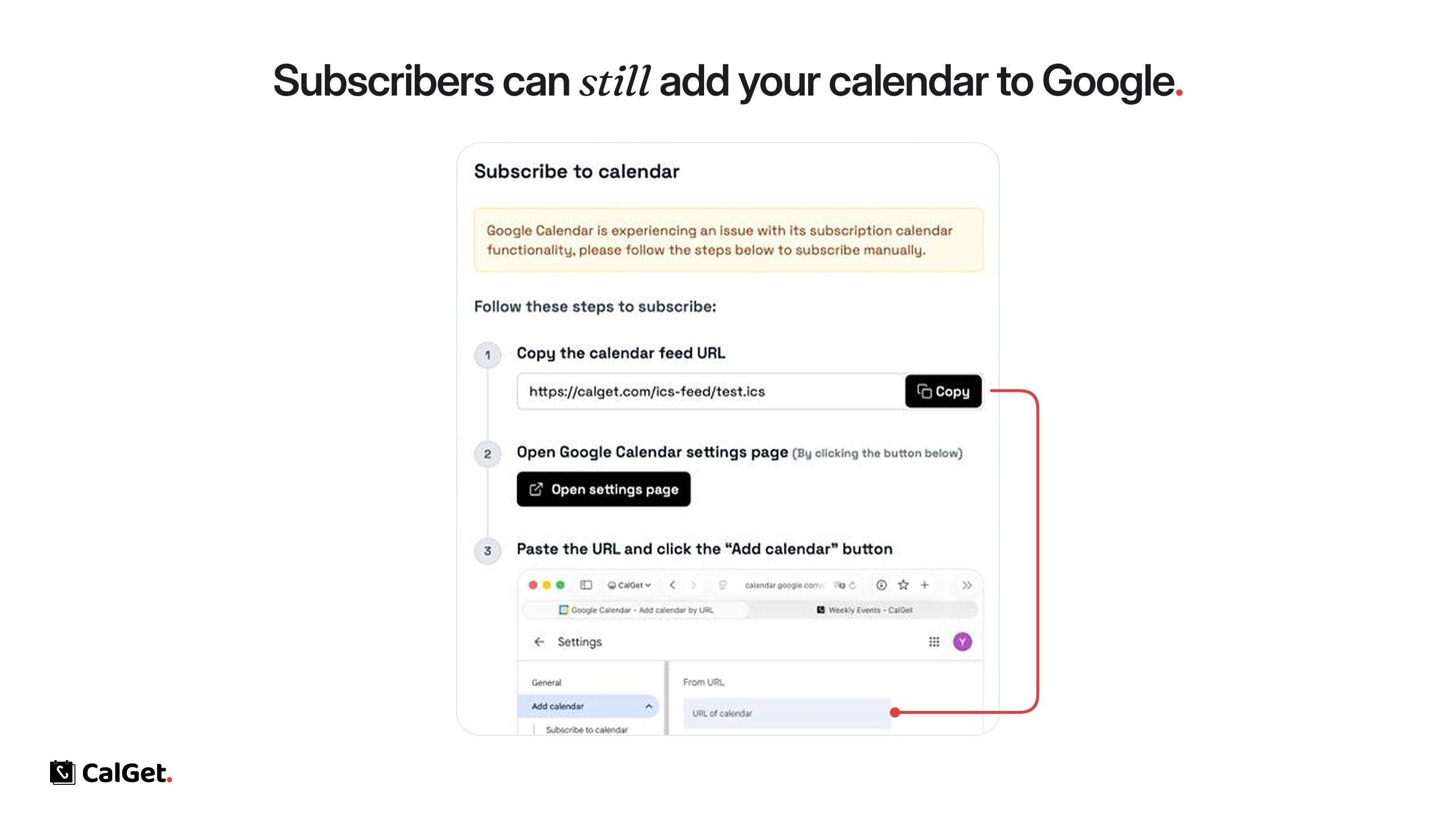
Google Calendar had an issue that stopped new subscribers from adding a calendar by link. As a workaround, we added a short guide to the Subscribe to calendar window so Google Calendar users can add your calendar by hand.
1. Copy the calendar feed URL – One click on Copy.
2. Open Google Calendar settings – Open settings page goes straight to Google’s “Add calendar from URL” page.
3. Paste the URL – Paste it into URL of calendar and click Add calendar.
Subscribers using Apple Calendar, Outlook and other apps aren’t affected.