Show Who's Attending on Your Event Page
Show a “Going” count on your event page. Guests who RSVP can see who else is coming, with email addresses masked.
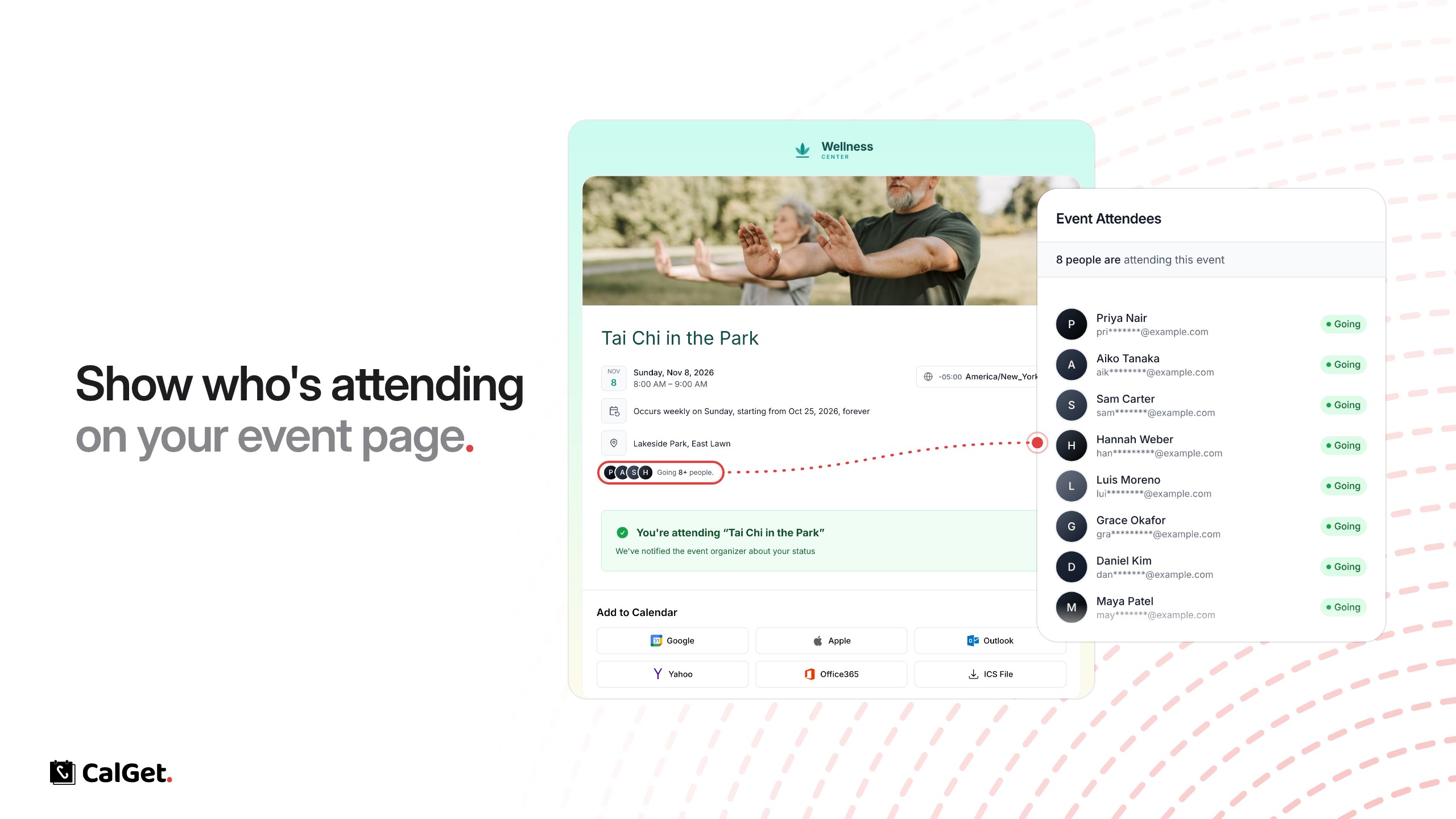
Your public event page can now show who's coming. Turn it on, and the page shows a “Going” count with your attendees' initials.
Full list for attendees – People who RSVP can open the list and see who else is going. Everyone else sees the count and is asked to RSVP first.
Private by default – Names appear as given in the RSVP. Email addresses are masked, like pri*******@example.com.
To turn it on, open your event, go to RSVPs and check Display attendee list on public event page.