Limit seats, set an RSVP deadline or turn RSVPs off
Updated October 20, 2026
Stop taking RSVPs when your event is full, close them on a set date, or turn them off completely. You can also show guests how many people are going. All of this is on the event's RSVPs tab.
To find the settings, go to Events, click your event, and click the RSVPs tab.
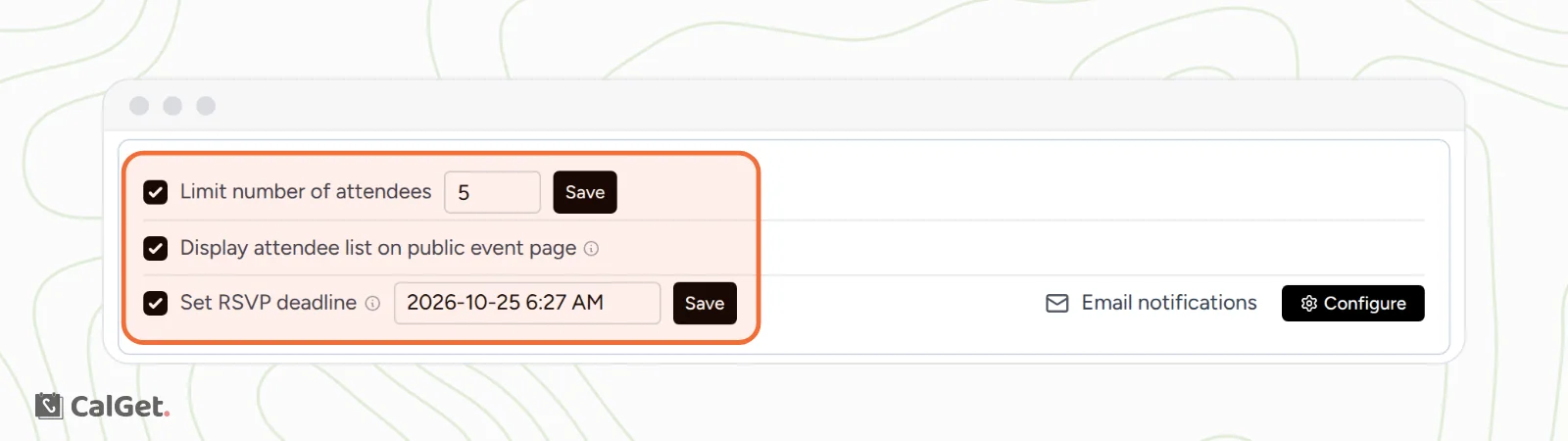
Limit the number of attendees
- Tick Limit number of attendees.
- Type the number of seats.
- Click Save next to it. You'll see "Attendee limit saved successfully".
Guests who answer Yes or Maybe take a seat. No replies don't. While seats are left, guests see "Limited seats" under the RSVP button. When every seat is taken, the button is replaced by "Sorry, we're out of seats for this event."
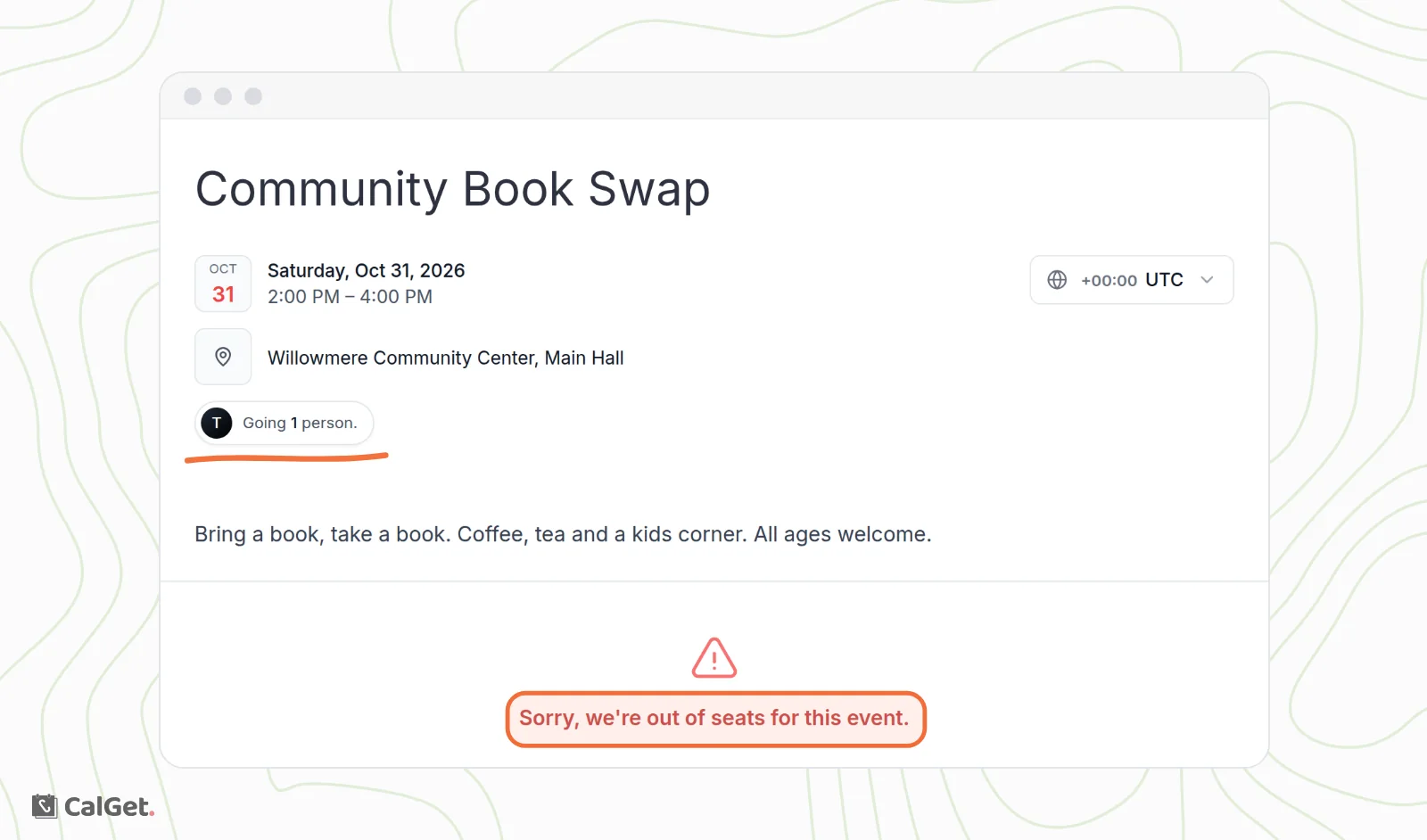
To open more seats, type a higher number and click Save again.
Set an RSVP deadline
- Tick Set RSVP deadline.
- Click the date box, then pick the last day and time guests can reply.
- Click Save next to it. You'll see "RSVP deadline saved successfully".
Until the deadline, the event page looks the same as before. After it passes, guests see "Sorry, the RSVP window for this event has closed." instead of the RSVP button.
Show how many people are going
Tick Display attendee list on public event page. It's saved as soon as you tick it.
Your event page then shows a small badge, for example "Going 1 person.", with guests' initials. It counts guests who answered Yes. When a guest clicks it, a message explains that the full attendee list is only for people who have RSVPed.
Turn RSVPs off
- Click the event's Edit tab.
- Turn off Collect RSVPs.
- Click Save changes.
Your event page goes back to showing Add to Calendar instead of RSVP. The replies you already have stay on the RSVPs tab, and you can still export them. Turn Collect RSVPs back on at any time to take replies again.
Remove a limit or deadline
Untick Limit number of attendees or Set RSVP deadline. The change is saved right away, and guests can RSVP again.
Common questions
Does a guest who replies twice take two seats?
Yes. Each reply counts, so a guest who answers Yes and later Maybe takes two seats. Check the RSVPs tab for repeat names and raise the limit if needed. See View and export your RSVPs.
Can I use a limit and a deadline together?
Yes. RSVPs close at whichever comes first: the last seat or the deadline.