View and export your RSVPs
Updated October 20, 2026
Every reply to your event lands on the event's RSVPs tab. This article shows how to read the totals and the list, and how to download the list as a spreadsheet file.
Open your RSVPs
- Go to Events and click your event.
- Click the RSVPs tab.
The tab only fills up once Collect RSVPs is turned on for the event and guests start replying. See Build a custom RSVP form.
Read the totals
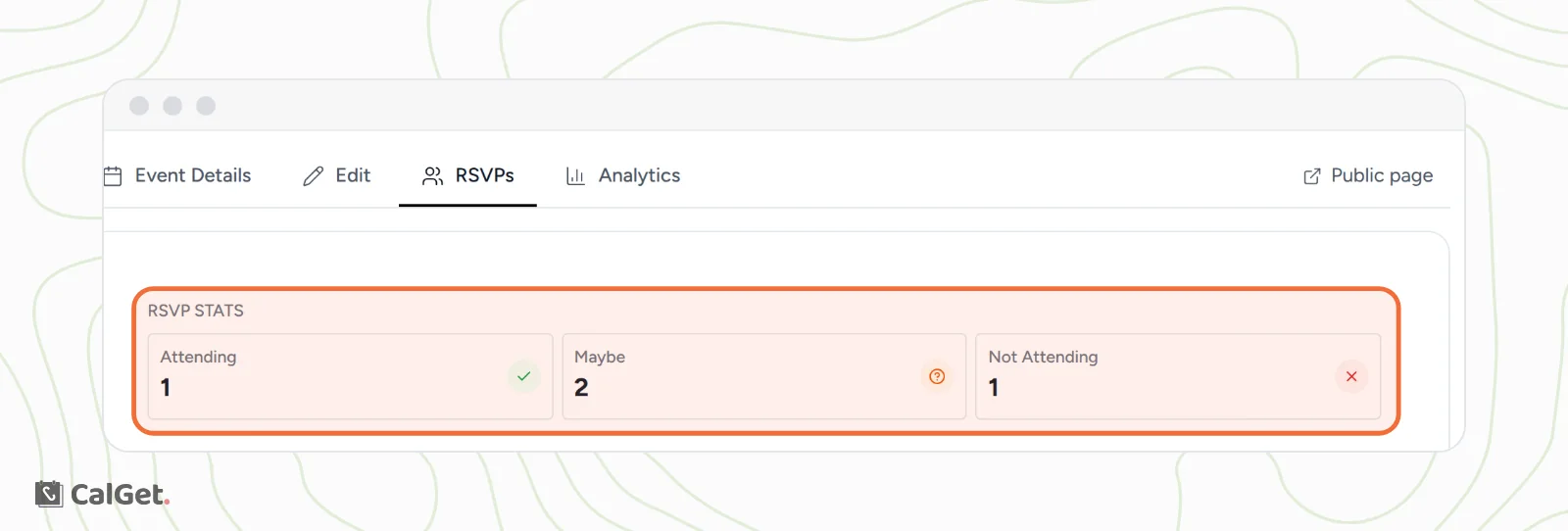
At the top, RSVP STATS counts the replies by answer: Attending (Yes), Maybe and Not Attending (No).
See who replied
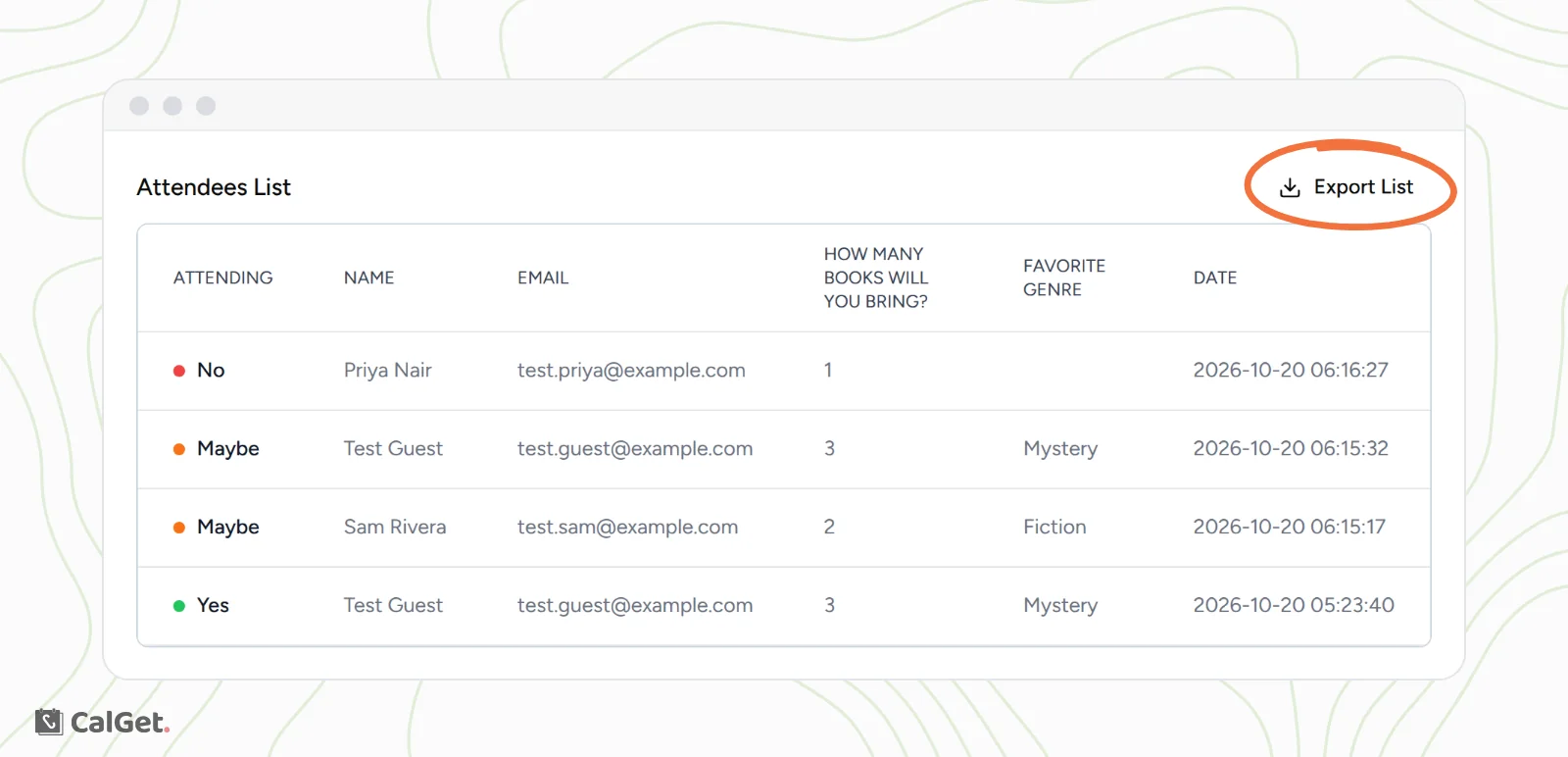
The Attendees List shows one row per reply, newest first. Each row has the guest's answer, their name and email, their answer to each of your own questions, and the date and time they replied (in UTC).
Export the list
- On the RSVPs tab, click Export List.
- A CSV file downloads, named after the event and the date, for example rsvp_community-book-swap_2026-10-20.csv.
- Open it in Excel, Google Sheets, Numbers or any spreadsheet app.
The file has the same replies as the list, in this column order:
| Column | What it holds |
|---|---|
| Name | The guest's name. |
| The guest's email address. | |
| Your questions | One column per question on your RSVP form, in the same order as the form. Empty if the guest skipped an optional question. |
| Attending | Yes, Maybe or No. |
| Date | When the guest replied (UTC). |
Use it to print a check-in sheet, count meals or send a follow-up through your email tool.
Common questions
A guest replied twice. What happens?
Each reply is kept as its own row, and both count in the totals. For example, a guest who first said Yes and later Maybe appears twice: once under Attending and once under Maybe. Use the newest row for that guest, since the list shows the newest first.
What happens to the list if I change the RSVP form?
A question you add later appears as a new column, empty for guests who replied before you added it. A question you delete disappears from the list, so export the list first if you want to keep those answers.