View, export and block calendar subscribers
Updated October 20, 2026
Every calendar has a Subscribers tab. It shows how many people subscribe to the calendar, who they are if you ask for their details, and which calendar app each one uses. You can export the list or block a subscriber.
Open the subscriber list
- In the menu on the left, click Calendars.
- Click your calendar.
- Click the Subscribers tab.
At the top, Active, Blocked and Total count your subscribers. Below, the Subscribers List has one row per subscription.
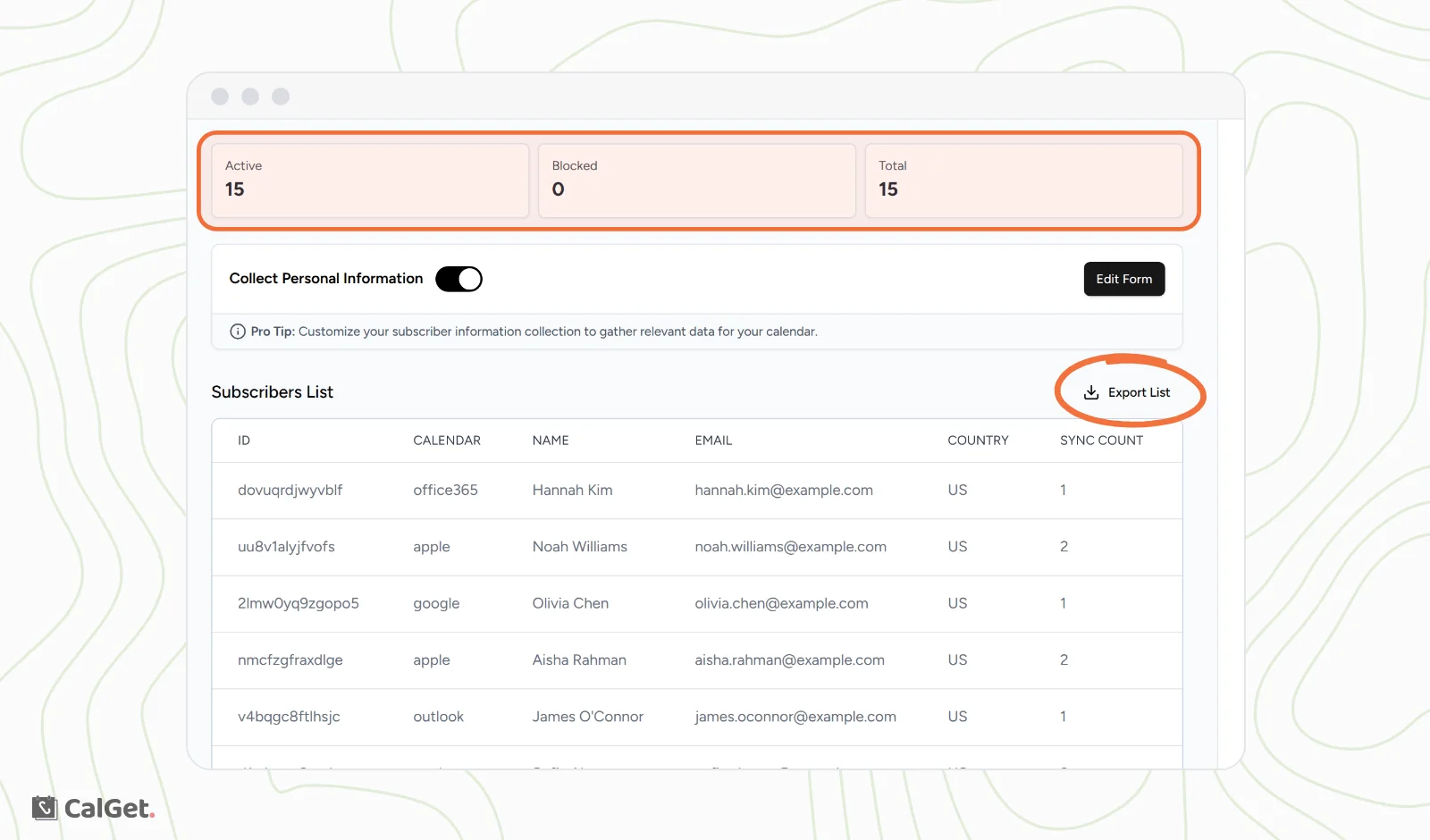
| Column | What it shows |
|---|---|
| ID | CalGet's ID for the subscription. |
| Calendar | The app they subscribed with: google, apple, outlook, office365 or ical. |
| Name, Email and your own questions | Their answers, if you ask people to fill in a form before they subscribe. |
| Country | Where they subscribed from. |
| Sync Count | How many times their calendar app has checked your calendar for updates. |
| Last Sync | When their calendar app last checked. |
| Subscription Date | When they subscribed. |
To get names and emails, turn on Collect Personal Information and click Edit Form to choose the questions. See Ask subscribers for their name and email People who subscribed before you turned it on show without a name or email.
Export the list
- On the Subscribers tab, click Export List.
- A CSV file downloads. Open it in Excel, Google Sheets or any spreadsheet app.
The file has the same columns as the list, plus a status column that says whether each subscriber is active or blocked.
See one subscriber's details
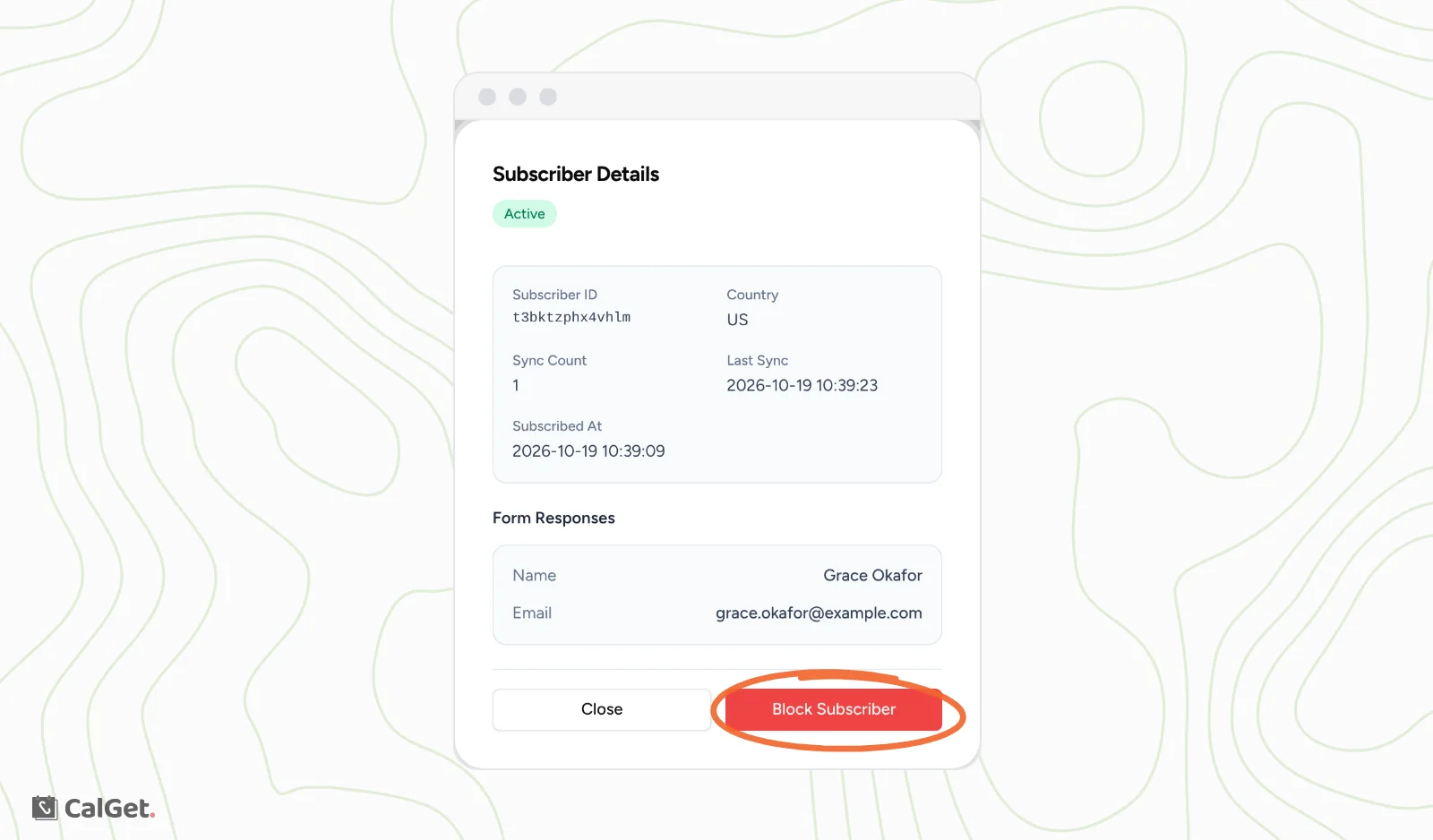
Click a row. Subscriber Details opens with their status, Sync Count, Last Sync, the date they subscribed and their Form Responses.
Block a subscriber
- Click the subscriber's row.
- Click Block Subscriber.
The change is immediate: they move from Active to Blocked. The next time their calendar app checks for updates, it gets an empty calendar named "Access Blocked", so your events disappear from their calendar. How soon that happens depends on their calendar app.
To undo it, click the row again and click Unblock Subscriber. Your events come back on their next update.
Common questions
Why is the same person listed twice?
Each subscription is its own row. Someone who subscribes on their phone and again on their computer, or in two different calendar apps, shows up once for each.
Does blocking stop someone from subscribing again?
Blocking applies to that subscription. If the calendar's link is public, anyone with it can subscribe. To control who subscribes, share the link only with your audience, or ask for details with Collect Personal Information.